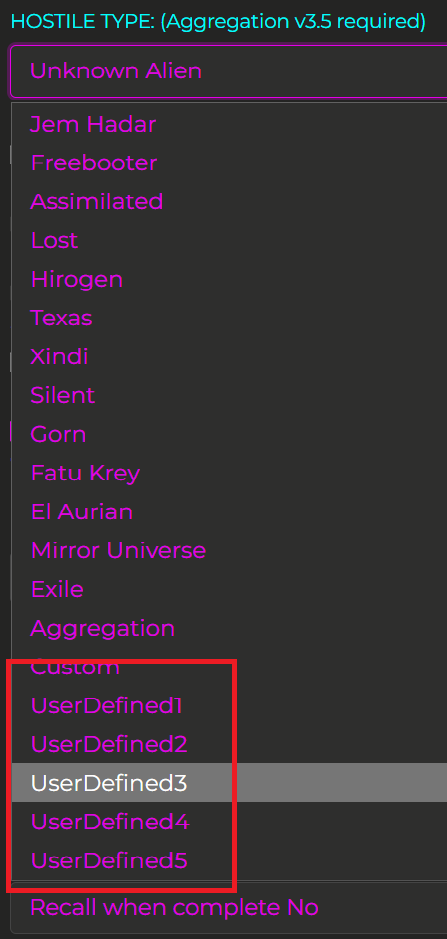
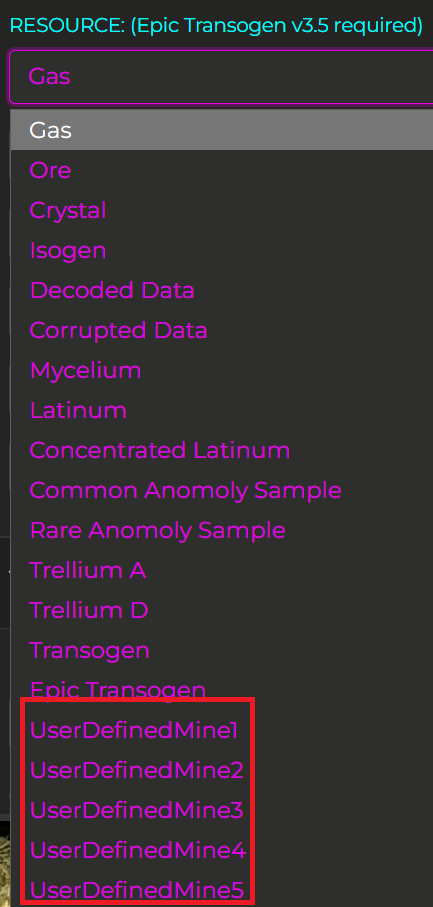
As part of the WarpDrive 3.7 release you can now add user defined hostiles and mines. This recent update is an effort to allow users to add user defined hostiles and mines due to the ever-increasing number of hostiles and mine types being added to the game.
When setting up a ship, select any of the user defined values 1-5 as shown in the right column.
Once you select the user defined option you will need to navigate to the folder where WarpDrive is installed and add images of the user defined hostiles and mines.
HOSTILES
Select the “UserDefinedX” value from the drop-down menu in the plan
Navigate to the WarpDrive folder images-xxxx-xxxx/03_AdvFeatures/
Add your user defined images as follows:
For Hostiles:
hostileUserDefined01.PNG
hostileUserDefined02.PNG
hostileUserDefined03.PNG
hostileUserDefined04.PNG
hostileUserDefined05.PNG
MINES
Select the “UserDefinedX” value from the drop-down menu in the plan
Navigate to the WarpDrive folder images-xxxx-xxxx/01_Mines/
Add your user defined images as follows:
mineUserDefined01_01.PNG
mineUserDefined01_02.PNG
mineUserDefined01_03.PNG, etc.
mineUserDefined02_01.PNG
mineUserDefined02_02.PNG
mineUserDefined02_03.PNG, etc.
etc.
And that’s it! It’s easy to add custom hostiles and instruct WarpDrive to grind whatever hostile type you like!